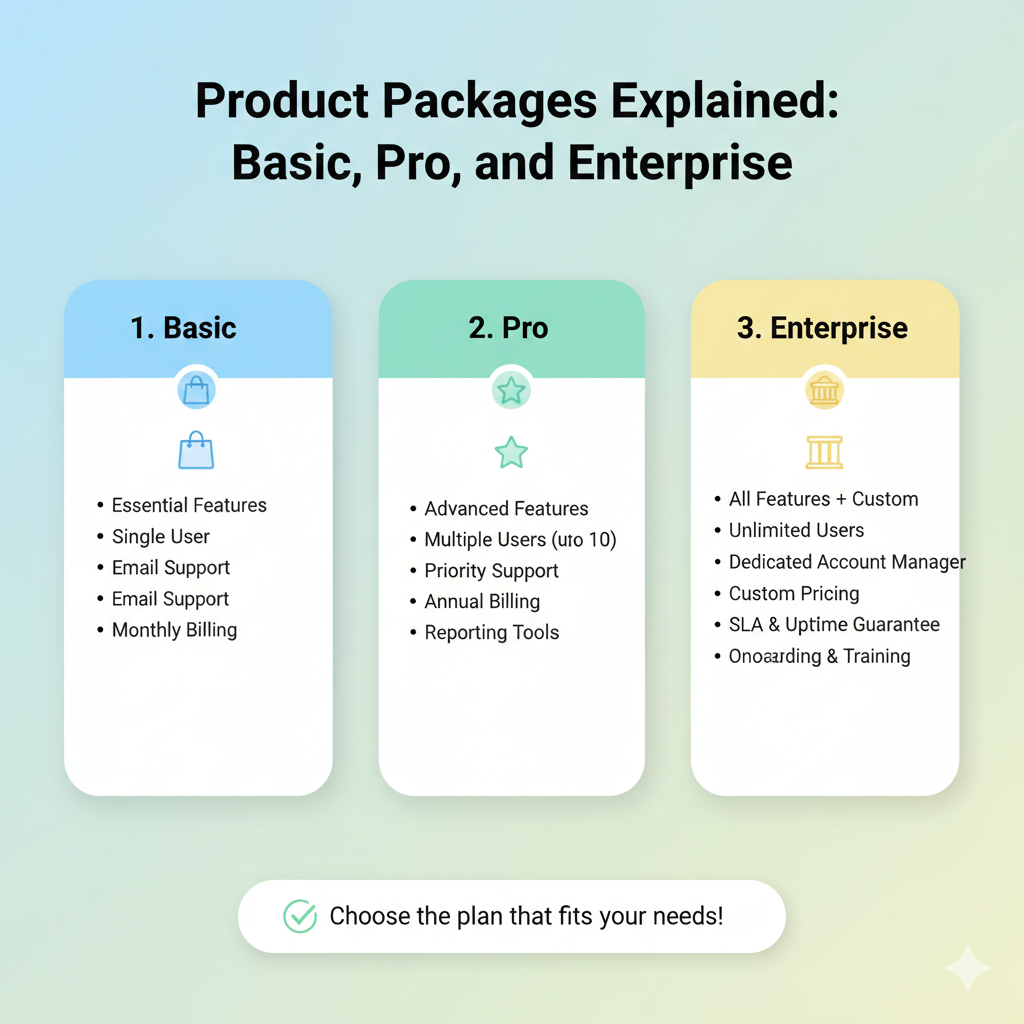
Choosing the right package makes implementation smoother and costs more efficient. Below is a practical guide to understand the differences between Basic, Pro, and Enterprise and when to upgrade.
Quick overview of each package
- Basic: core features to get started and build clean working habits
- Pro: automation, integrations, and deeper analytics for growing teams
- Enterprise: stronger controls, auditing, and implementation support for organizations with strict governance
How to choose based on needs
1) Team size and process complexity
If your team is small and processes are simple, Basic is usually enough. When approvals grow, multiple units are involved, or documents go through many revisions, Pro becomes more valuable because automation and reporting are stronger.
2) Access control and compliance
Organizations that need audit trails, granular access policies, and compliance requirements usually fit Enterprise. It helps ensure every change is traceable and access does not exceed authority.
3) Reporting and insights
If you need routine reports for management or want to monitor bottlenecks, Pro and Enterprise offer stronger dashboards and export options.
Example scenarios
- Basic: teams of 5-20, simple workflows, starting paperless practices.
- Pro: teams of 20-200, many request types, need integrations and reporting.
- Enterprise: cross-division, strict access policies, periodic audits, need SLA and implementation assistance.
Implementation tips to avoid missteps
- Start with the most frequent process so adoption shows results quickly.
- Assign process owners and admins responsible for templates and roles.
- Collect feedback during the first 2-4 weeks, then refine configuration.
- Upgrade when the need is clear, not only because a feature looks attractive.
If you want, our team can run a short assessment to map needs and recommend the most efficient package.